# The 5 Techniques Separating Top Agentic Engineers Right Now
Table of Contents
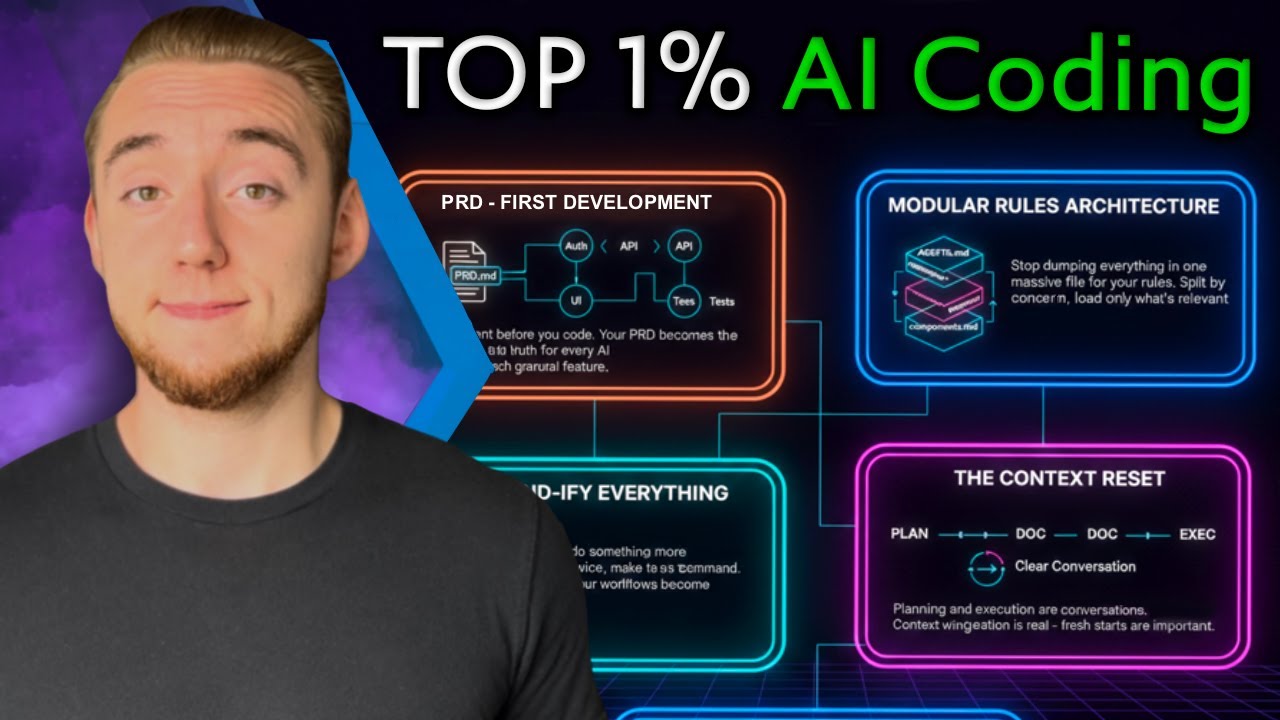
These notes are based on the YouTube video by Cole Medin
Key Takeaways
- Start with a PRD (Product Requirement Document) – a single markdown file that acts as the project’s North Star and drives all AI‑assistant interactions.
- Keep global rules lightweight and split task‑specific rules into separate markdown files that are loaded only when needed.
- “Commandify” any recurring prompt – turn it into a reusable slash‑command or workflow to save keystrokes and ensure consistency.
- Reset the context window between planning and execution by feeding the AI only the structured plan document, leaving maximal room for reasoning.
- Treat every bug as a system‑evolution opportunity: update rules, reference docs, or commands so the same mistake never recurs.
Detailed Explanations
1. PRD‑First Development
- What it is: A markdown file that captures the entire scope of a project—target users, mission, in‑scope/out‑of‑scope items, and architecture.
- Why it matters:
- Serves as a single source of truth for the coding agent.
- Enables you to break the project into granular features (e.g., API, UI, auth) that the agent can handle one at a time.
- Greenfield vs. Brownfield:
- Greenfield: PRD defines everything you need to build the MVP.
- Brownfield: PRD documents the existing codebase and outlines the next set of enhancements.
- Workflow snippet:
# Habit Tracker PRD## Target Users- People who want to track daily habits## Mission- Provide a simple, visual habit‑tracking UI## In Scope- Calendar view, habit CRUD, basic auth## Out of Scope- Social sharing, advanced analytics## Architecture- Frontend: React + Vite- Backend: Node.js + Express- DB: SQLite
- Practical tip: After aligning with the AI on what to build, run the slash command
/create PRDto generate/update this document automatically.
🔗 See Also: Claude Code Agents: The Feature That Changes Everything
2. Modular Rules Architecture
- Global rules file (
Claude.md,agents.md, etc.) should stay concise (on the order of a few hundred lines) and contain only universal conventions:- Project structure
- Common commands (
npm run dev,npm test) - Logging standards, naming conventions
- Task‑specific rule files live in a
reference/folder and are referenced from the global file:# Claude.md (global)## Global Rules- Project root: ./src- Run frontend: npm run dev- Run backend: npm run server## References- API rules → ./reference/api_rules.md- UI component rules → ./reference/ui_rules.md - Why modular?
- Protects the AI’s context window.
- Loads only the relevant rule set when you’re working on a particular domain (e.g., API, UI).
Note: The “≈200 lines” figure is a practical guideline rather than a hard rule; the key point is to keep the global file short enough to stay comfortably within the model’s token budget.
3. Commandifying Everything
- Definition: Convert any prompt you use more than twice into a reusable slash‑command (or markdown workflow) that the AI can invoke directly.
- Typical candidates:
- Creating PRDs (
/create PRD) - Making Git commits (
/git commit) - Running validation steps (
/validate) - System‑evolution actions (
/evolve)
- Creating PRDs (
- Benefits:
- Saves thousands of keystrokes.
- Guarantees consistent phrasing and parameters.
- Easy to share across teams.
- Example command file (illustrative path):
The exact directory (# /create PRDPrompt: "Help me plan a habit‑tracker app. Output a markdown PRD with sections for users, mission, scope, architecture."Output: Write to ./docs/PRD.md
.cloud/commands/) and file format are illustrative; you can store commands wherever your tooling expects them.
🔗 See Also: I Went Deep on Claude Code—These Are My Top 13 Tricks
4. Context Reset (Planning → Execution)
- Process:
- Prime the AI with the current codebase and the PRD (
/primecommand). - Plan the next feature, outputting a structured markdown plan.
- Reset the conversation (
/clearor restart the chat). - Execute the plan by feeding only the plan document (
/execute plan.md).
- Prime the AI with the current codebase and the PRD (
- Result: The AI receives a lean context, maximizing its reasoning capacity for code generation and self‑validation.
- Sample plan (
feature_plan.md):# Feature: Calendar Visual Improvements## User StoryAs a user, I want a clearer visual representation of my habit streaks on the calendar.## Tasks- Update Calendar component UI- Add streak color logic- Write unit tests for new UI## Acceptance Criteria- Streak colors reflect consecutive days- No regression in existing calendar functionality
5. System Evolution (Turning Bugs into Strength)
- Mindset: When a bug appears, don’t just fix the symptom—identify the missing rule, reference, or command that caused the mistake and update the system.
- Typical improvement targets:
- Global rules: Add a one‑liner for a missing import style.
- Reference docs: Create a detailed auth flow doc if the AI repeatedly mis‑implements authentication.
- Commands/workflows: Extend the structured plan template to include a mandatory testing step.
- Workflow example:
- Bug discovered (e.g., wrong import style).
- Issue a voice or text command: “Claude, I noticed the import style is wrong.”
- Update
Claude.mdwith a rule:# Import Style Rule- Use ES6 named imports: `import { foo } from 'module'` - Re‑prime the AI to ingest the updated rule set.
- Outcome: The coding agent becomes progressively more reliable, reducing future hallucinations and repetitive errors.
Summary
The video outlines a repeatable, high‑output workflow for “agentic engineers” who collaborate with AI coding assistants. The core practices are:
- Begin every project with a comprehensive PRD that guides the AI’s scope and feature breakdown.
- Maintain a lightweight global rule set and load task‑specific rules only when needed, preserving the AI’s context window.
- Convert frequently used prompts into slash‑commands to automate repetitive interactions.
- Separate planning from execution by resetting the conversation and feeding the AI a concise, structured plan.
- Iteratively evolve the system by turning each bug into an update to rules, reference docs, or commands, thereby continuously strengthening the AI’s performance.
Adopting these five meta‑skills enables engineers to unlock the full potential of AI coding assistants, dramatically increasing development speed and code quality without requiring new tools—just smarter processes.
🔗 See Also: The EASIEST way to build iOS apps with Claude Code (Opus 4.5)
💡 Related: I Went Deep on Claude Code—These Are My Top 13 Tricks